Rendering Lists In ReactJs Explained: A Comprehensive Overview

I am a web3 developer and I am passionate about CyberSecurity
Also writes on Medium - medium.com/@sahilchandravanshi/
Rendering Lists
We will often want to display multiple similar components from a collection of data. In React, we will render lists with some type of loop. On this page, we’ll map() with React to filter and transform our array of data into an array of components.
Rendering data from arrays
Let’s say that you have a list of people.
<ul>
    <li>Blake  : Designer who loves to paint</li>
    <li>Sofia : Blogger who cooks delicious</li>
    <li>Diksha: Student and a dancer</li>
    <li>Bruce : Front End Developer</li>
    <li>kelly : Teacher at High School</li>
</ul>
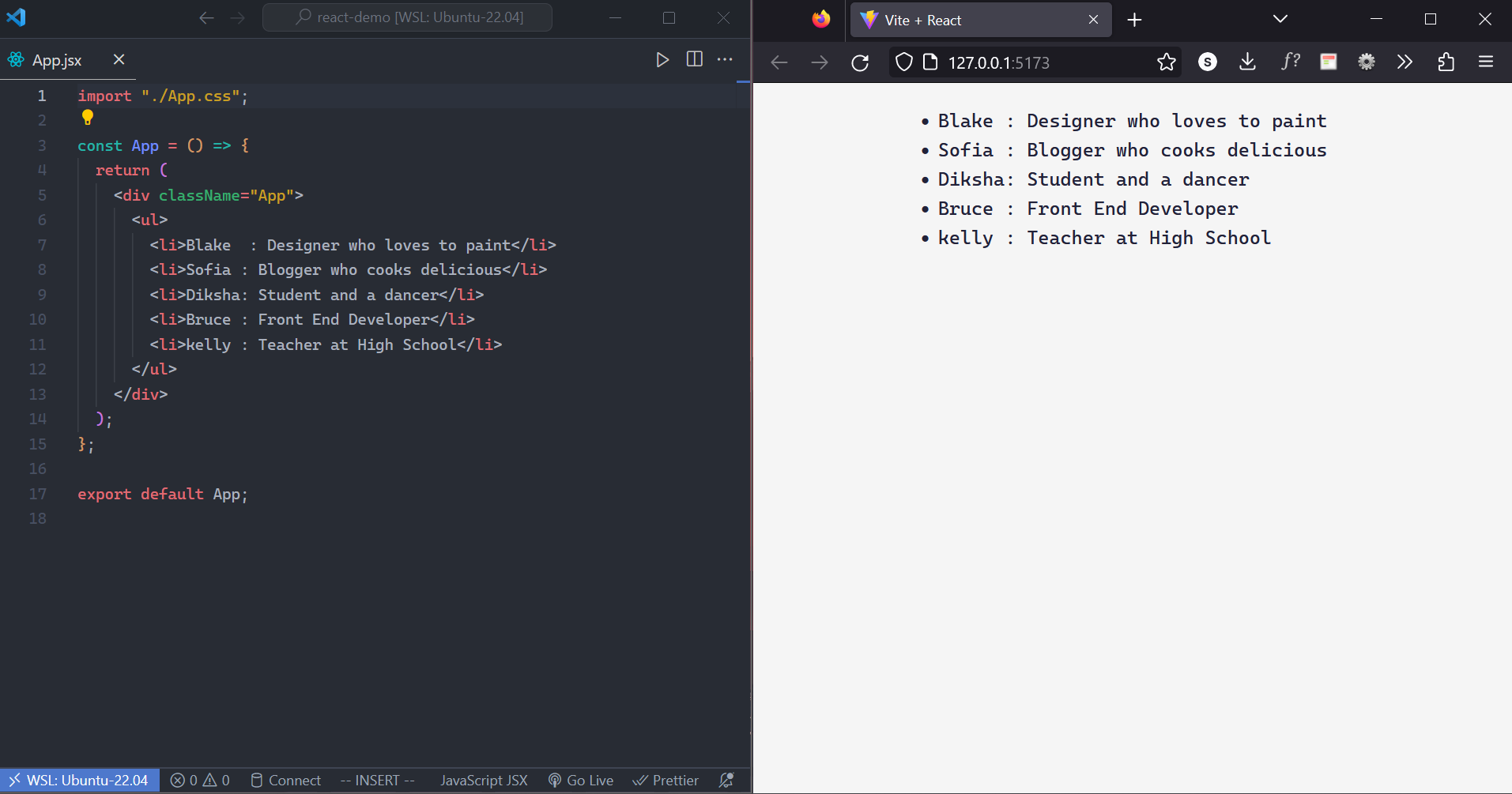
Here’s how we can generate a list of items from an array:
Move the data into an array
 const people = [
     "Blake  : Designer who loves to paint",
     "Sofia : Blogger who cooks delicious",
     "Diksha: Student and a dancer",
     "Bruce : Front End Developer",
     "Kelly : Teacher at High School",
 ];
Map the
peoplemembers into a new array of JSX nodes,listItemsconst listItems = people.map((person) => <li>{person}</li>);Return
listItemsfrom your component wrapped in a<ul>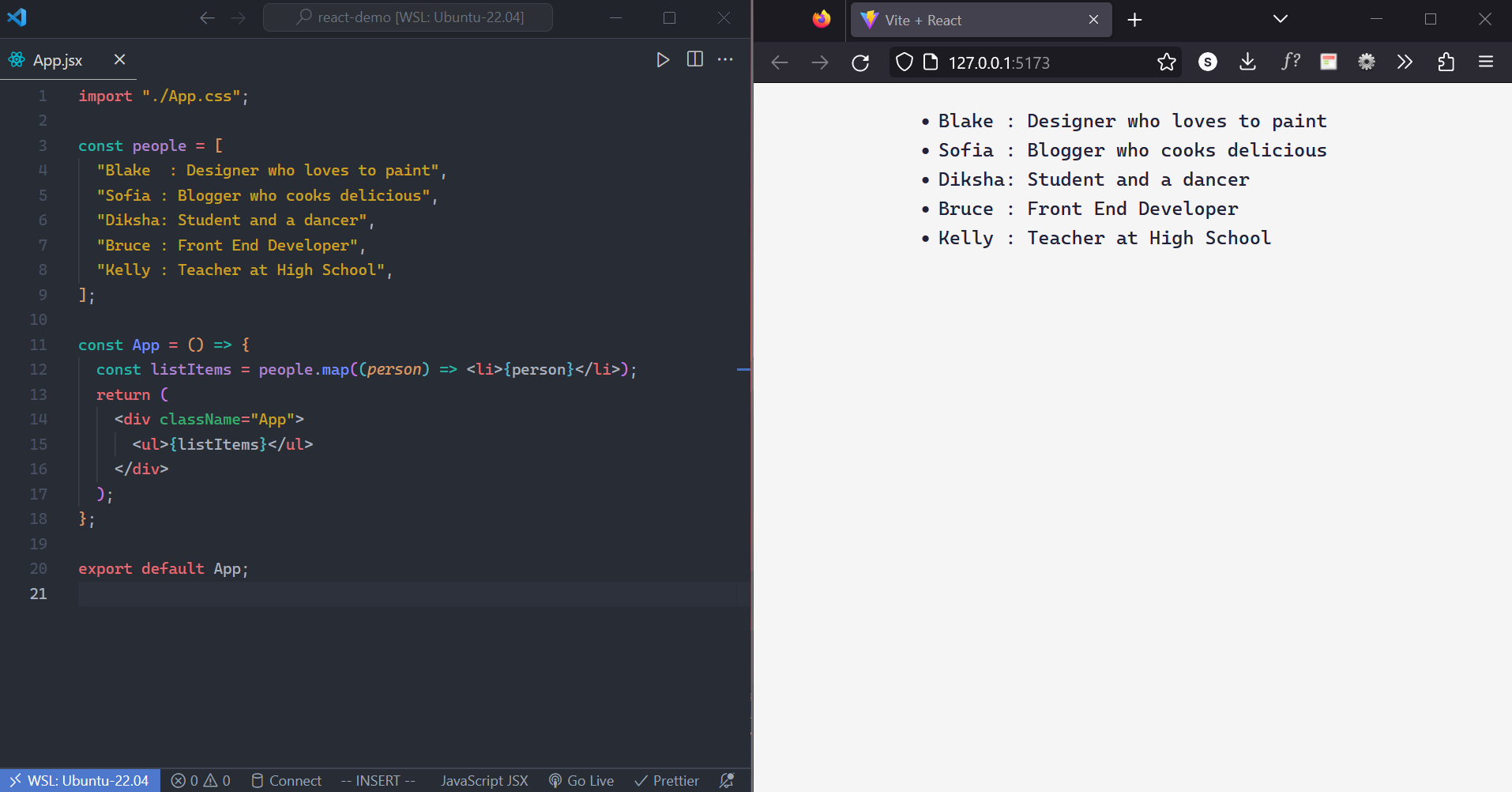
📝Note: We can directly use map inside
<ul>tag to render the list without declaring alistItemsvariable.
const App = () => {
    return (
        <div className="App">
            <ul>{people.map((person) => <li>{person}</li>)}</ul>
        </div>
    );
};

export default App;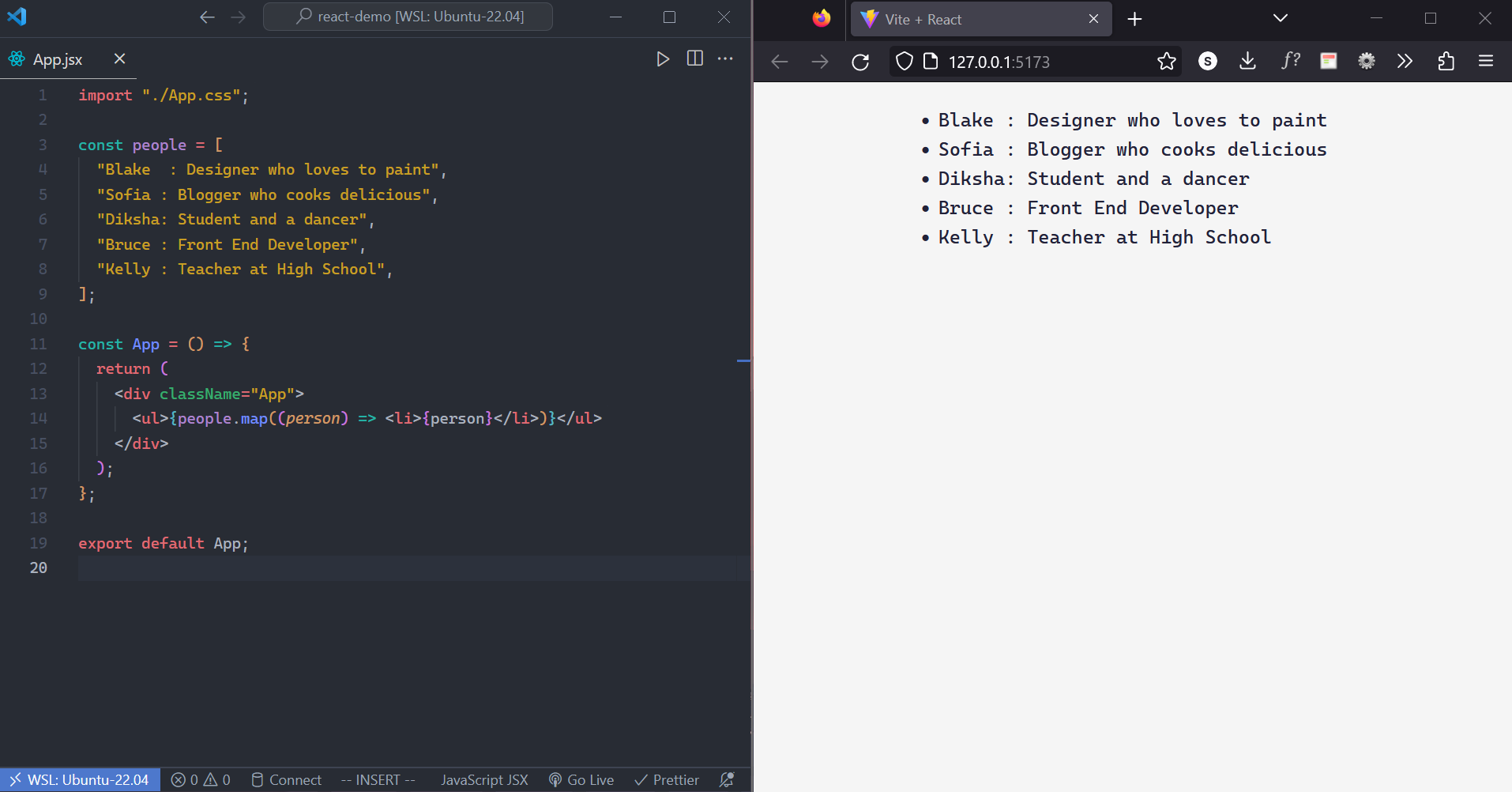
Keeping list items in order with
keyNotice the browser console displays a console warning for the above method
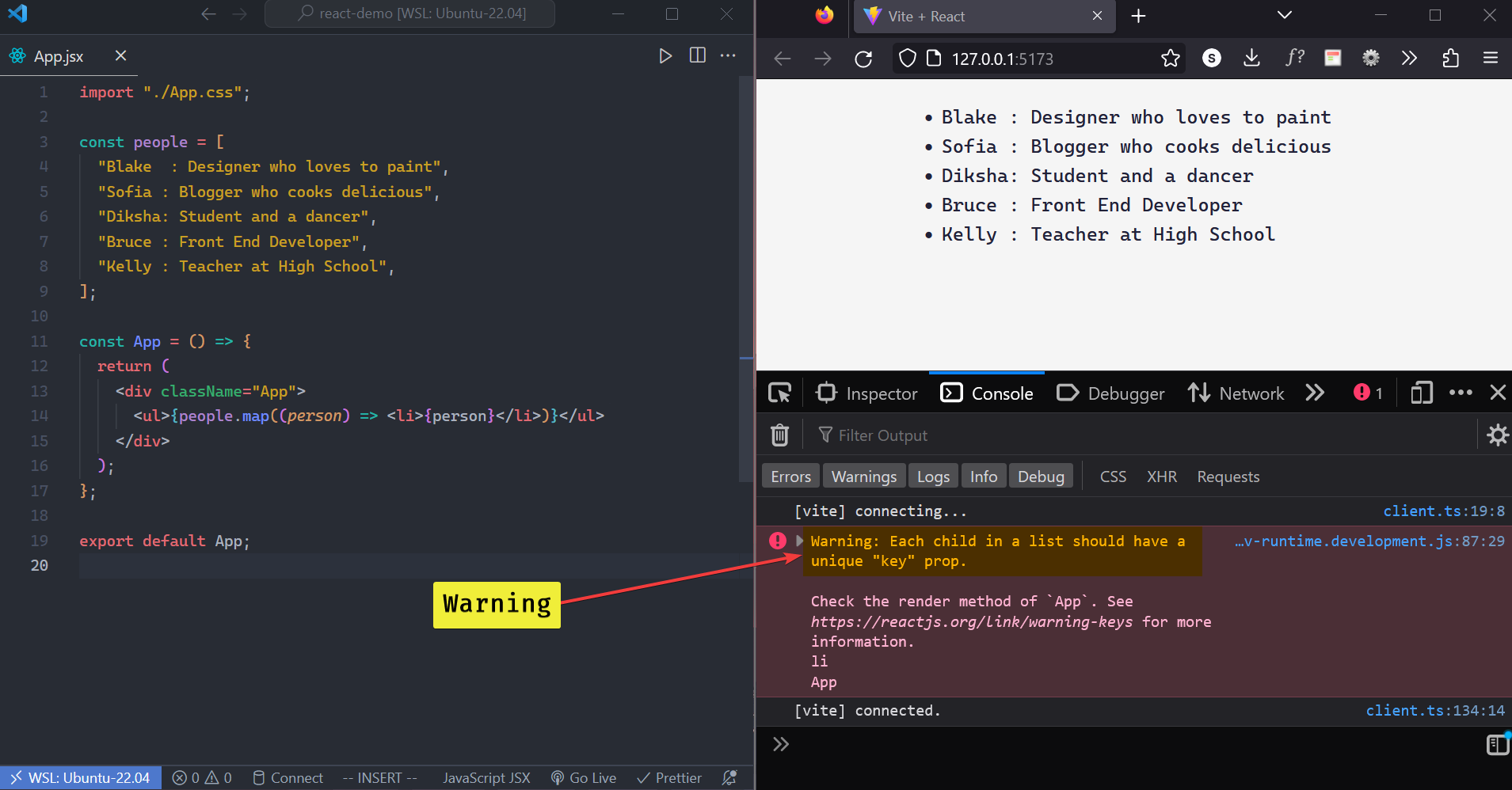
Keys help React to identify which items have changed, are added, or are removed. Keys should be given to the elements inside the array to give the elements a stable identity. We can pass index to the key.
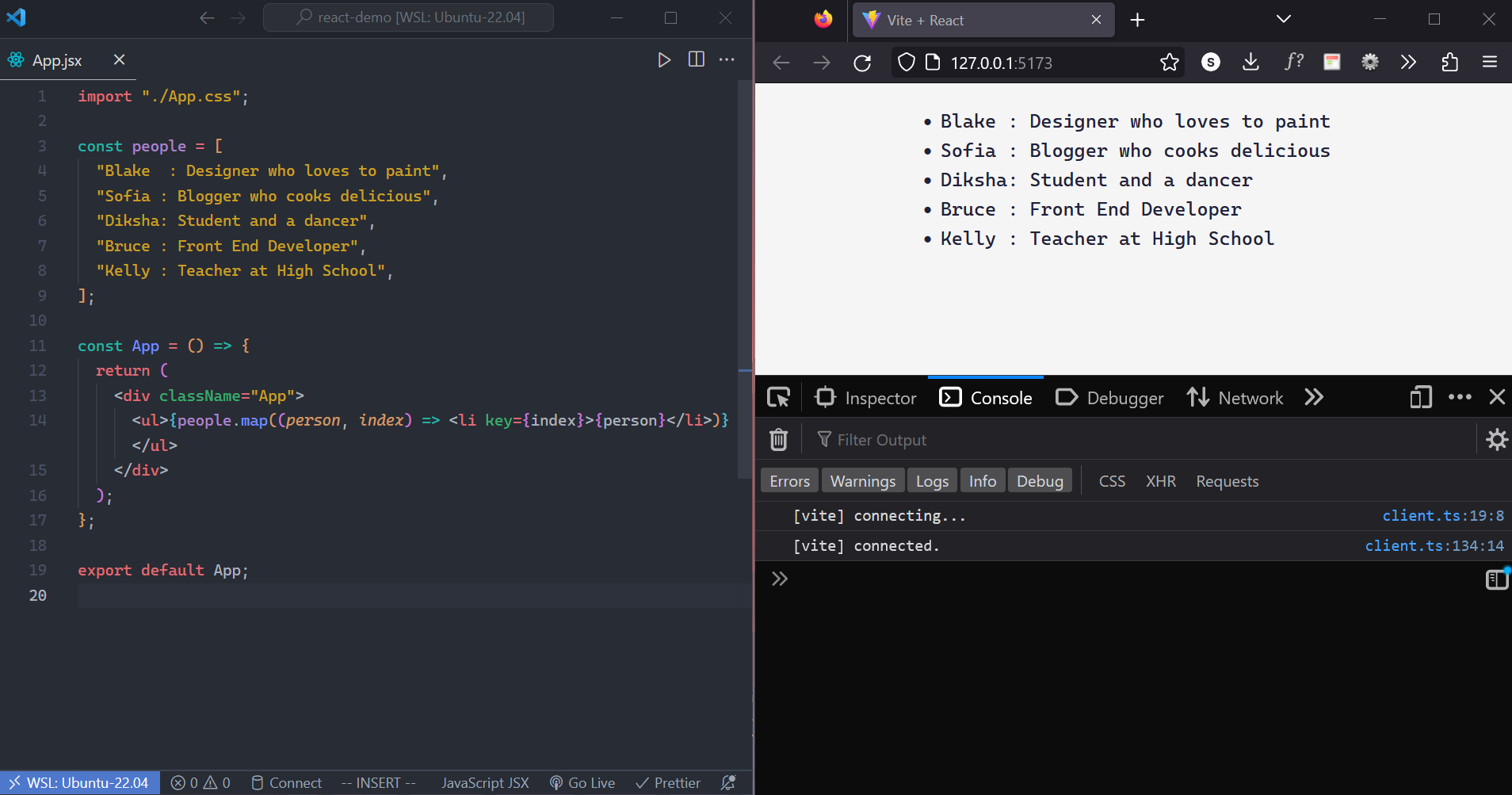
📝Note: JSX elements directly inside a
map()call always need keys!Example
Let’s how can we utilize it and how useful it is.
Consider this example in which we show information about different people using cards.
We render every person’s
name,image,work,hobbyandcountry originby passing props toCard.jsxcomponent.
Now let’s make an array named
peoplecontaining details of every personconst people = [ { 'id': 1, 'img': '<https://images.pexels.com/photos/1878687/pexels-photo-1878687.jpeg?auto=compress&cs=tinysrgb&w=800&lazy=load>', 'name': 'Blake', 'work': 'Designer', 'hobby': 'Painting', 'origin': 'Norway' }, { 'id': 2, 'img': '<https://images.pexels.com/photos/1130623/pexels-photo-1130623.jpeg?auto=compress&cs=tinysrgb&w=1260&h=750&dpr=2>', 'name': 'Sofia', 'work': 'Blogger', 'hobby': 'Cooking', 'origin': 'Brazil' }, { 'id': 3, 'img': '<https://images.pexels.com/photos/1028927/pexels-photo-1028927.jpeg?auto=compress&cs=tinysrgb&w=600>', 'name': 'Diksha', 'work': 'Student', 'hobby': 'Dancing', 'origin': 'India' }, { 'id': 4, 'img': '<https://images.pexels.com/photos/769690/pexels-photo-769690.jpeg>', 'name': 'Bruce', 'work': 'Writer', 'hobby': 'Reading', 'origin': 'England' }, { 'id': 5, 'img': '<https://images.pexels.com/photos/2811087/pexels-photo-2811087.jpeg?auto=compress&cs=tinysrgb&w=600>', 'name': 'Kelly', 'work': 'Actor', 'hobby': 'Writing', 'origin': 'France' }, ];And map the
peoplearray for everypersonand pass props toCardcomponent{people.map((person) => <Card key={person.id} img={person.img} name={person.name} work={person.work} hobby={person.hobby} origin={person.origin} /> )}
In this way, we don’t have to pass props for every person as
map()makes our day better.Here, you can see that we used
idaskey. Why? If your data is coming from a database, you can use the database keys/IDs, which are unique by nature.